TiviMate IPTV Player: Complete Guide & Review 2025
📑 TABLE OF CONTENTS
TiviMate IPTV Player: What You Need to Know
Here’s what surprised me when I first tried TiviMate IPTV—I expected just another IPTV player, maybe slightly better than the rest. Instead, I found the most polished, feature-rich player I’d ever used, with customization options that made my tech-nerd brain genuinely happy. My buddy who just wants to “watch the game without complications” also loved it, which tells you something about how well-designed it is.
Let me break down everything you need to know about TiviMate, like we’re sitting down over coffee talking about the best way to stream.
About TiviMate
TiviMate IPTV is an Android-based IPTV player developed specifically for streaming live TV and VOD content. Unlike services that provide content, TiviMate is just the player – you bring your own IPTV subscription (like IPTV Smarter TV), and TiviMate gives you a beautiful interface to watch it through.
Think of it this way: your IPTV subscription is like a library card, and TiviMate is the premium reading room with comfortable chairs and perfect lighting. You still need the card, but the experience of using it becomes way better.
What Makes It Special
Android TV Optimized – Built specifically for Android TV devices, though it works on Android phones/tablets too. The interface feels native, not like a phone app awkwardly adapted for TV.
Professional Design – Clean, modern interface that doesn’t look like it was designed in 2010. Smooth animations, intuitive navigation, actually pleasant to use.
Highly Customizable – Colors, layouts, EPG settings, favorites organization—you can tweak almost everything to match your preferences.
Regular Updates – Developer actively maintains and improves the app. New features get added, bugs get fixed—it’s not abandoned software.
The Advantages of TiviMate IPTV 2025
The Story: I used IPTV Smarters for months and was happy with it. Then a friend convinced me to try TiviMate for a week. The difference in user experience was immediately noticeable—everything just felt smoother and more refined.
Key Advantages:
Multi-Playlist Support – Add multiple IPTV subscriptions in one app. Great if you have different providers for different content types.
Picture-in-Picture – Watch one channel while browsing others. Perfect for keeping an eye on a game while checking scores on other channels.
Recording Capability – Premium feature that lets you record live TV and schedule recordings. Works like a DVR.
Catch-Up TV – Rewind live TV or access content from the past several days (if your IPTV provider supports it).
EPG Customization – Probably the best electronic program guide of any IPTV player. Clean, fast, accurate, with tons of customization options.
Parental Controls – Lock channels or entire categories with PIN protection. Actually works well, unlike some apps where kids figure out the workaround in minutes.
TV Guide Timeline – Visual timeline showing what’s on now and what’s coming up across channels. Makes channel surfing purposeful instead of random.
Lesson learned: The EPG alone makes TiviMate worth considering. I didn’t realize how clunky other program guides were until I used TiviMate’s, which loads instantly and shows exactly what you need.
Installation and Configuration
The Story: First time I installed TiviMate, I almost gave up because the initial setup screen looked complicated. Stuck with it for 5 more minutes and realized it’s actually straightforward—just looks technical because it gives you lots of options.
How to Install TiviMate:
For Android TV:
- Open Google Play Store
- Search “TiviMate”
- Install TiviMate from Play Store
- Open the app
For FireStick (side-loading required):
- Enable “Apps from Unknown Sources” in settings
- Download and install Downloader app
- Enter TiviMate APK URL (from official website)
- Install and open
Configuration Steps:
- Add Playlist:
- Open TiviMate
- Click “Add Playlist”
- Choose “Xtream Codes API” (most common)
- Enter details from your IPTV subscription:
- Name: Whatever you want (e.g., “My IPTV”)
- Username: From provider
- Password: From provider
- URL: From provider
- Click OK
- Configure EPG:
- Go to Settings → EPG
- Select EPG source (usually auto-detected)
- Adjust time zone if needed
- Set refresh schedule
- Customize Interface:
- Settings → Appearance
- Choose theme (I like Dark)
- Adjust channel logo size
- Set default player options
TiviMate Premium: Is It Necessary?
The Story: I used free TiviMate for two weeks thinking premium was unnecessary luxury. Then I tried premium for the recording feature, planning to cancel after. Never canceled—the premium features became essential way faster than I expected.
Free vs Premium Comparison:
Free Version Includes:
- Single playlist support
- Basic EPG
- Channel favorites
- Parental controls
- Standard playback
Premium Adds ($5-6 yearly):
- Unlimited playlists (add multiple IPTV services)
- Recording & scheduled recording
- Multiple layouts (more viewing options)
- Custom channel logos
- Faster app updates
- Premium support
Is Premium Worth It?
Yes, if:
- You want to record shows or games
- You use multiple IPTV subscriptions
- You value customization options
- $5 yearly isn’t a financial concern
Stick with free if:
- You have one IPTV subscription
- You don’t need recording
- Basic features satisfy your needs
- You’re testing before committing
My honest take: At $5 per year (literally $0.42 monthly), premium is absurdly cheap for what you get. The recording feature alone justifies the cost if you ever miss live content.
Get your IPTV subscription from IPTV Smarter TV, then add TiviMate premium if you want the extra features. Total cost is still way less than one month of cable.
Alternatives to TiviMate
While TiviMate IPTV is excellent, it’s not the only option. Here are solid alternatives:
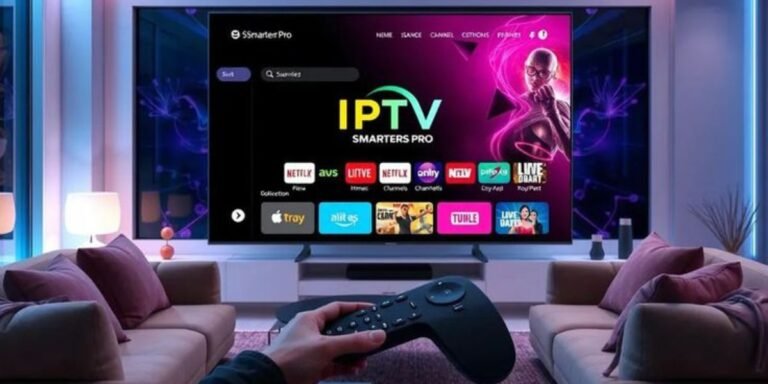
IPTV Smarters Pro
Pros:
- Available on iOS (TiviMate is Android-only)
- Simpler interface (less overwhelming for beginners)
- Works great with IPTV Smarter TV service
- Free with full features
Cons:
- Less customization than TiviMate
- EPG not as refined
- Interface feels more basic
Best for: iOS users, people who want simple and functional.
Perfect Player
Pros:
- Completely free
- Lightweight and fast
- Highly customizable for power users
Cons:
- Dated interface design
- Steeper learning curve
- Less polished overall experience
Best for: Tech-savvy users who don’t mind tweaking settings.
GSE Smart IPTV
Pros:
- Available on iOS and Android
- Modern interface
- Good feature set
Cons:
- More expensive premium version
- Occasional stability issues
- Not as refined as TiviMate
Best for: iOS users wanting something more advanced than IPTV Smarters.
Which Should You Choose?
- Android TV user wanting best experience? → TiviMate
- iOS user or want simplicity? → IPTV Smarters Pro
- Tech enthusiast on budget? → Perfect Player
- Need cross-platform? → GSE Smart IPTV
Check our subscription plans for IPTV service, then pick the player that matches your device and preferences.
Final Thoughts: Is TiviMate Right for You?
TiviMate IPTV is hands-down the best IPTV player for Android TV users. The interface is polished, features are comprehensive, and premium pricing is so cheap it’s basically free. If you’re on Android TV or FireStick and serious about IPTV streaming, TiviMate should be your first choice.
However:
- iOS users need alternatives (IPTV Smarters Pro)
- Complete beginners might feel overwhelmed initially
- You still need a quality IPTV subscription to get any value
Lesson learned: The player matters more than I thought. Same IPTV subscription through different players gave noticeably different experiences. TiviMate made content I already had access to significantly more enjoyable to watch.
Action steps:
- Get solid IPTV subscription (start here)
- Install TiviMate (free version first)
- Use for a week
- Upgrade to premium if you want recording/multiple playlists
- Enjoy the best IPTV viewing experience available
Questions about setup or which player works best for your situation? Message us on WhatsApp for personalized help.